Safe-cert / Paid client project for SAF
Updated certificates.
The same QR label.
Vehicle information and certificate documents, managed centrally and accessible from a scan on site.
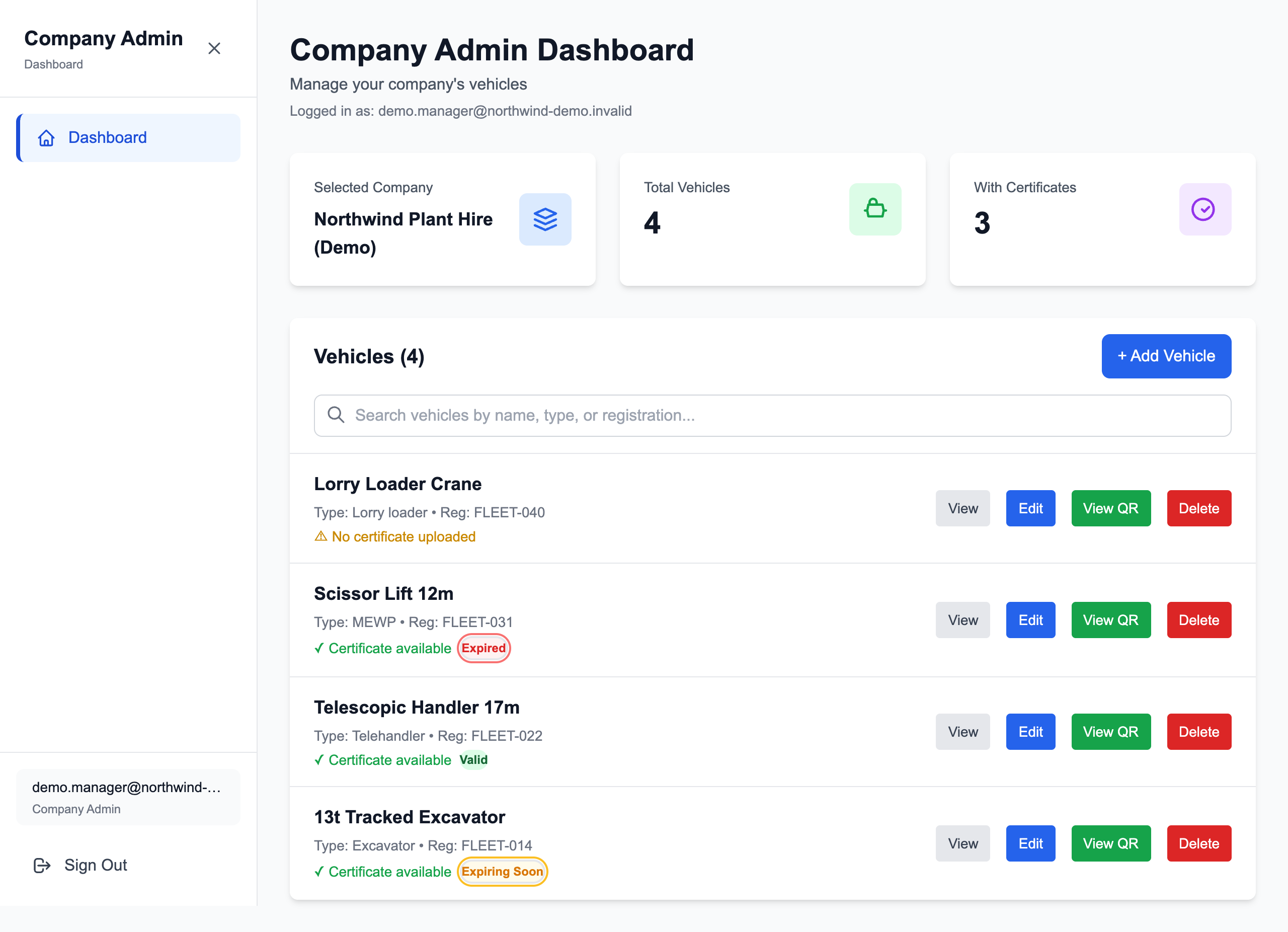
Staff dashboard shown with fictional demonstration data. Screenshots are from a local demonstration, not SAF’s live records.
The problem
Certificates change over the working life of a vehicle. When a printed QR code links directly to an individual document, replacing that document can mean generating and attaching a new label.
SAF needed vehicle documentation to be accessible on construction sites while staff maintained the information centrally. The printed label needed to stay useful when the paperwork changed.
The solution
I built Safe-cert around a simple distinction: the QR code links to the vehicle, while its certificates can change independently.
Each vehicle has a web page and a downloadable QR image. Staff manage the vehicle’s details and certificate files through a dashboard. Updating those records leaves the vehicle link unchanged.
Add a vehicle and its certificate information.
Download the QR code and print it for the vehicle.
Update documents centrally, keeping the same QR link.
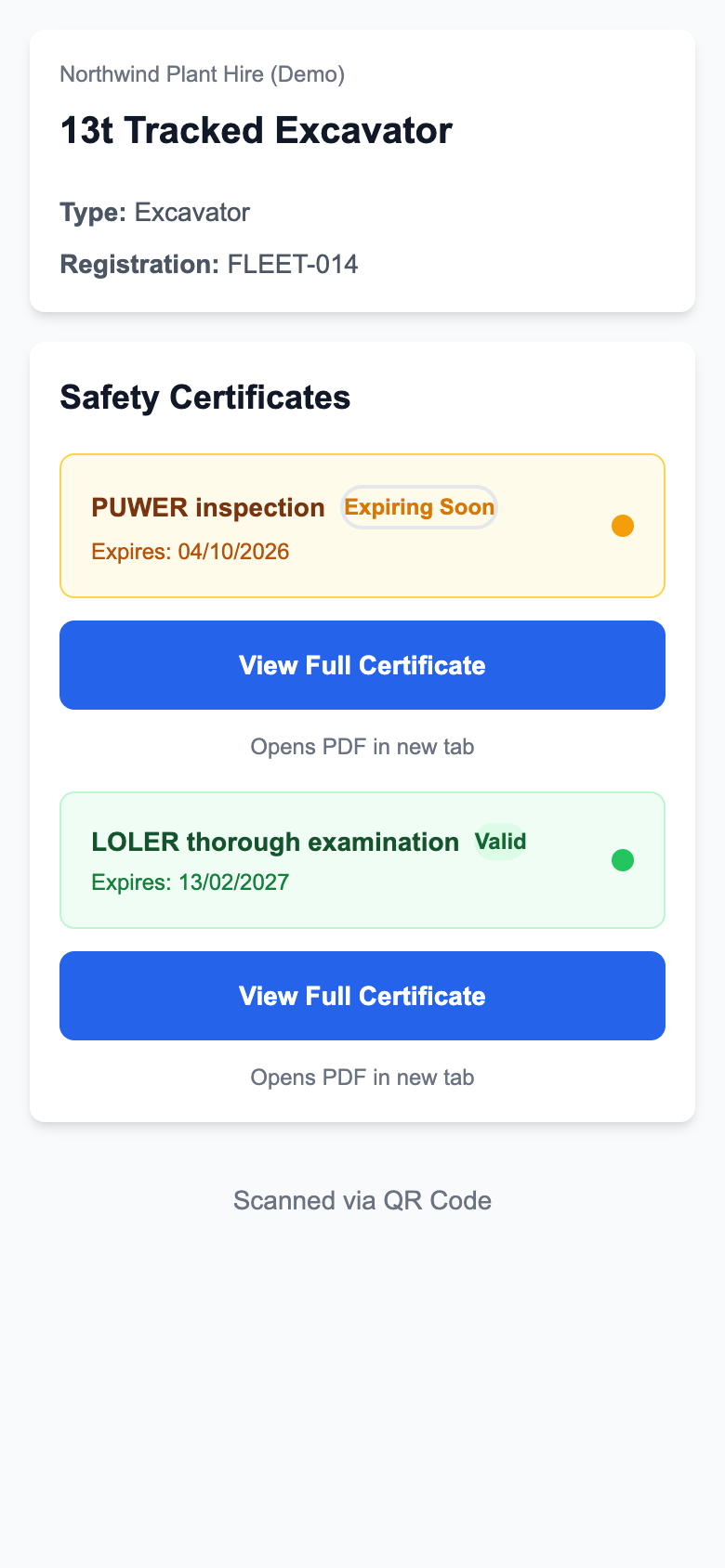
Built for the person on site
Scan the vehicle.
Open the paperwork.
A phone camera opens the vehicle’s page in a browser. There’s no app to install and no visitor login to remember.
- Vehicle name, type and registration or fleet number.
- Current certificate records and document links.
- Expiry dates and clear status indicators based on those dates.
Staff use a separate sign-in to manage records. The dashboard brings search, vehicle editing, certificate uploads and QR downloads into one place.
My contribution
I developed the complete application and deployed it for SAF, covering the staff dashboard, public vehicle pages, database, certificate uploads and QR-code generation.
The application uses Next.js, React and TypeScript, with PostgreSQL and Prisma for structured records. The implementation includes S3-compatible file storage and a Vercel deployment configuration.
The key engineering decision was to use the vehicle’s identifier in its QR link. Changes to vehicle details or certificate files therefore don’t require a different printed code.
In use at SAF
SAF uses the dashboard to manage vehicle records and attaches the QR codes to vehicles sent to construction sites.
Updating certificates no longer requires replacing the QR label for that vehicle. Staff have a central place to maintain records, while site visitors have a direct route to the information currently published for the machine in front of them.
Product screenshots use fictional demonstration data. Certificate status labels reflect recorded expiry dates; they do not independently verify a vehicle or document.
Have a similar challenge?
Have a similar project?
Tell me what your team manages today and where the work gets repetitive.
Python automation, internal tools and backend integrations.